Your Fujifilm Data Collection Agent (DCA) may go offline after changes to your store’s computer or server setup, such as a computer upgrade, software update, restart, or if the DCA does not reconnect after one of these changes.
Why Keeping your DCA online is important
- As part of your Managed Print Service (MPS) plan, it is the store’s responsibility to ensure the DCA software remains connected. This is how Fujifilm captures meter reads for billing and processes ink orders.
- If a connection can't be established, we may need to request manual meter reads. Please note that while the DCA is offline, any manual ink orders may not be processed or may be delayed.
- If the DCA remains offline for an extended period, Fujifilm may also deem the printer inactive and remove it from the MPS system.
Steps to restart DCA
- If it's already running, you can find the DCA icon in the system tray, located at the bottom-right hand corner of your screen.
- Right-click on the DCA icon (it looks like a small orange circular target).
- In the list of options, select 'Stop'.
- Wait around one minute, then right-click on the icon again and select 'Start'.
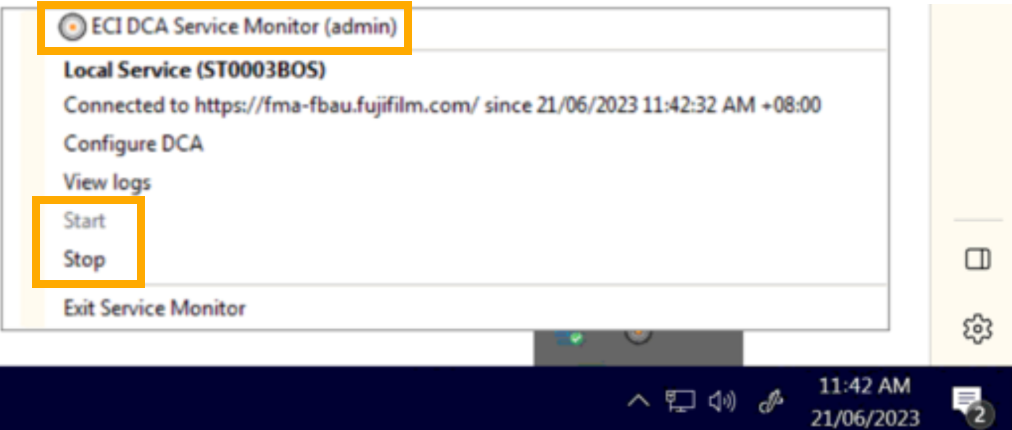
- Check the DCA window:
- If connected correctly, it will show “Connected to https…”
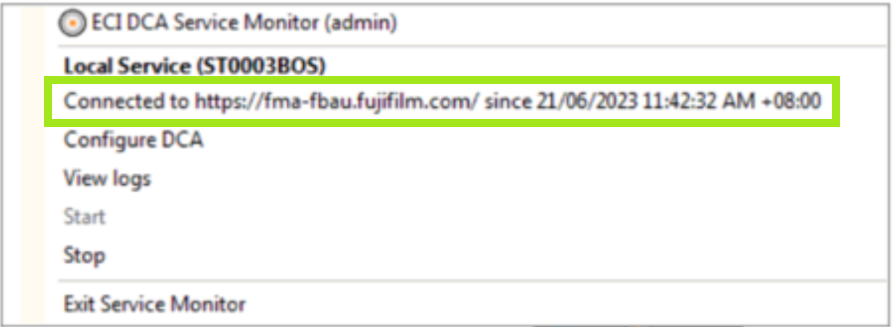
- If it's not connected, it will show “Not connected…”
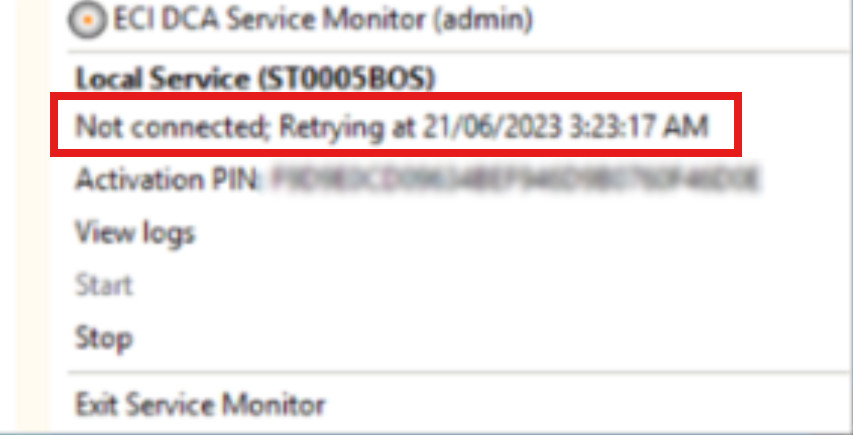
- If connected correctly, it will show “Connected to https…”
If you can't find the DCA icon
- Search for DCA on your computer.
- Open the DCA program.
- The service should automatically start and run in the background.
- Check the DCA window to confirm it shows “Connected to https…”
If you can't find the DCA software
If the DCA software does not appear when searching your computer, it may be installed on another computer in the store.
- Please check the main computer or server used in store, as this is usually where the DCA is installed.
- If this computer has recently been replaced or upgraded, the DCA may need to be reinstalled and configured on the new computer. Please email support@lastyard.com to get your unique install link.
Was this article helpful?
That’s Great!
Thank you for your feedback
Sorry! We couldn't be helpful
Thank you for your feedback
Feedback sent
We appreciate your effort and will try to fix the article