If you have a product that requires multiple template sizes you can now easily duplicate the ticket and create a new ticket for the size you require.
Within a batch you can select a ticket, duplicate and change the ticket template to manually create a batch of ticket variants.
Click into a batch.
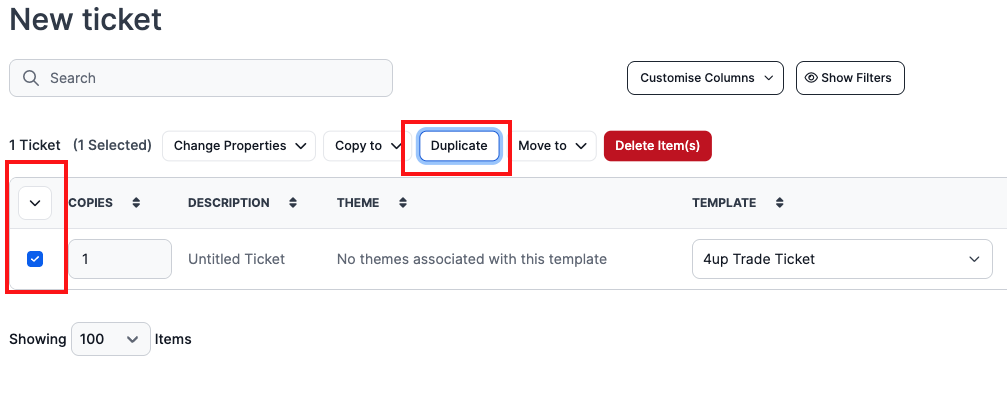
Select the ticket you wish to duplicate and click on Duplicate.
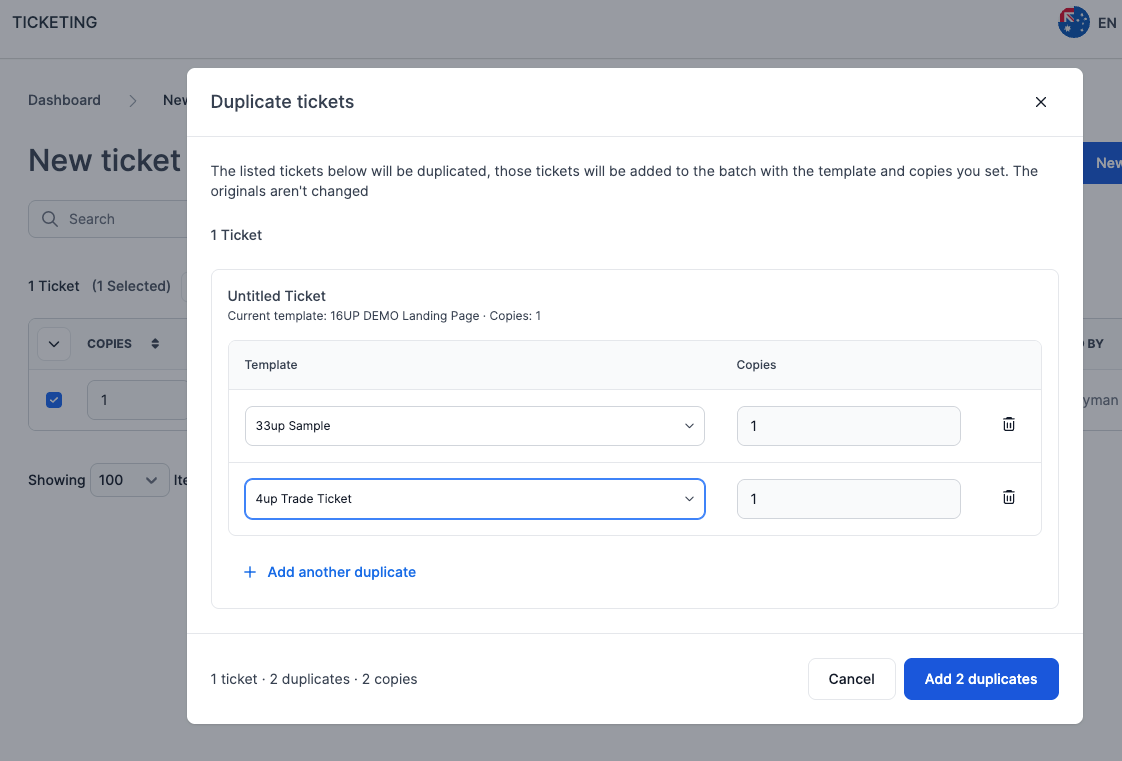
Select the template size and continue duplicating as required and select the blue button bottom right to add the relevant number of duplicate tickets - Add X Duplicates.
Was this article helpful?
That’s Great!
Thank you for your feedback
Sorry! We couldn't be helpful
Thank you for your feedback
Feedback sent
We appreciate your effort and will try to fix the article